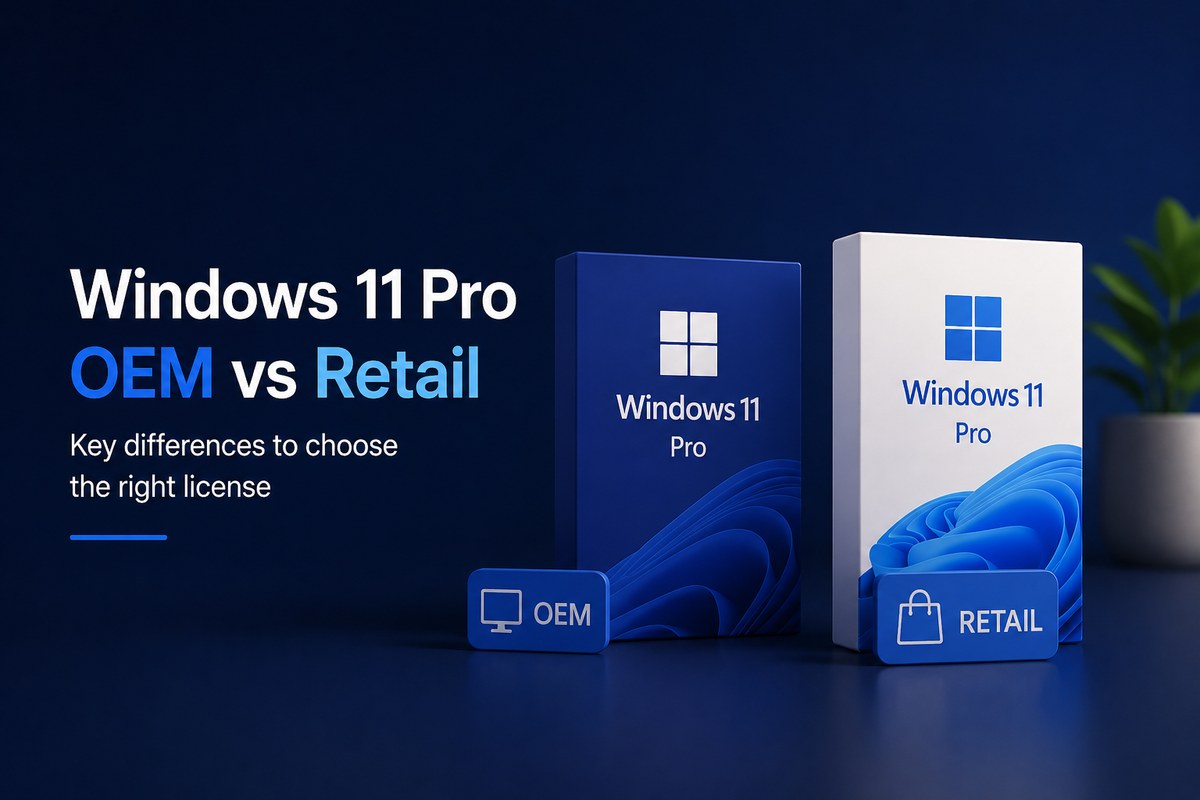
Windows 11 Pro OEM vs Retail in one paragraph: both license types unlock the exact same Windows 11 Pro features (BitLocker, Remote Desktop, Hyper-V, Group Policy, Windows Sandbox, etc.). The difference is what happens after activation. An OEM license is tied to the first PC it activates and generally cannot be moved to another device. A Retail license is yours to keep and can be transferred to a new computer if you upgrade or replace your hardware. For most users who plan to keep their PC for a few years or want zero risk if they ever change hardware, a Windows 11 Pro Retail key for $15 is the safest and most flexible choice.
If you are about to license Windows 11 Pro and you have seen the OEM option listed cheaper than Retail, you have probably wondered the same question thousands of buyers ask every month: are they actually different, or is the cheaper one just as good? The short answer is that they activate the same operating system but follow very different rules — and choosing the wrong one can cost you the entire license if your hardware ever changes.
This guide breaks down the real, practical differences between Windows 11 Pro OEM and Retail licenses, who each one is for, and which option makes the most sense based on how you actually use your PC.
Quick Comparison: Windows 11 Pro OEM vs Retail at a Glance
| Feature | Windows 11 Pro OEM | Windows 11 Pro Retail |
|---|---|---|
| Activates Windows 11 Pro | Yes | Yes |
| Same Pro features (BitLocker, Hyper-V, RDP) | Yes | Yes |
| Tied to the first PC where activated | Yes | No |
| Transferable to a new computer | No (in most cases) | Yes |
| Survives major hardware changes | Risky / often deactivates | Yes, with reactivation |
| Eligible for direct Microsoft support | Limited (handled by OEM) | Yes |
| Typical use case | Pre-built PCs, fixed workstations | Personal builds, upgraders, freelancers |
| Long-term flexibility | Lower | Higher |
| Price at Software Kings | — | $15.00 |
If that table already gave you the answer, you can grab a Windows 11 Pro Retail key for $15 here with instant email delivery. If you want to understand why these differences matter before deciding, keep reading.
Why the Difference Between OEM and Retail Actually Matters
Choosing a Windows 11 Pro license is more than picking a price tag. The license type controls what you are allowed to do with that activation for the rest of the device’s life: whether you can move it, whether it survives a motherboard upgrade, who provides support, and how flexible you are if your needs change.
Windows 11 Pro is the edition most professionals, freelancers, IT users, students in technical fields, and small business owners pick, because it includes the productivity, security, and management tools that Windows 11 Home doesn’t have. But Pro is also where the OEM-vs-Retail decision becomes most relevant, since these are the users most likely to upgrade, rebuild, or replace their PCs over time.
The good news: once you understand how each license works, the choice is simple.
What Is a Windows 11 Pro OEM License?
OEM stands for Original Equipment Manufacturer. Originally, OEM licenses were sold to companies like Dell, HP, Lenovo, and Asus to install Windows on the computers they sell. When you buy a pre-built laptop or desktop with Windows already activated, that activation is almost always an OEM license.
The defining trait of an OEM license is that it is bound to the first device on which it is activated — most specifically, to the motherboard. Microsoft’s activation servers use the motherboard as the unique fingerprint of the machine, so once the OEM key is registered, that key “belongs” to that PC.
OEM licenses can make sense for very specific scenarios:
- A newly built PC you plan to keep as-is for several years
- A dedicated work computer in a fixed location
- A home office setup with stable hardware
- A device assigned to one person or one role in a small business
- Any system where the motherboard will not be replaced
The catch: if you ever swap the motherboard, the OEM license usually deactivates and Microsoft will refuse to reactivate it on the new hardware. Even smaller upgrades, replacing a CPU, doing a major BIOS update, have been known to flag OEM activations in some cases. And because the support relationship for OEM licenses is technically with the original manufacturer rather than directly with Microsoft, getting help with activation issues is more complicated.
What Is a Windows 11 Pro Retail License?
A Retail license is a Windows 11 Pro license sold directly to an end user, not pre-installed by a hardware manufacturer. It is the version Microsoft sells in its own store and the version distributed by authorized digital resellers like Software Kings.
The defining trait of a Retail license is portability. The license belongs to you, not to a specific PC. As long as it is only active on one machine at a time, you can:
- Move it to a new computer when you upgrade
- Reactivate it after replacing the motherboard
- Transfer it from a desktop to a laptop and back
- Use it on a brand-new build months or years after the original purchase
Retail licenses are the right choice for:
- Users who upgrade their PC components frequently
- Freelancers and remote workers who change workstations
- Small businesses that rotate computers between roles
- Gamers and PC builders who refresh hardware every few years
- Anyone who wants the peace of mind that a hardware change won’t void their license
The Retail license is also the version Microsoft supports directly. If activation fails, if Windows reports the license as invalid after a hardware change, or if you need help linking the license to a Microsoft account, you have a clean support path. That’s not always true with OEM.
You can buy a genuine Windows 11 Pro Retail key for $15 at Software Kings, the same edition Microsoft sells, delivered by email within minutes, with installation and activation support included.
OEM vs Retail: The Real Differences Explained
The biggest myth around OEM and Retail is that one is “more powerful” than the other. It isn’t. The Windows 11 Pro experience after activation is identical: same Start menu, same Settings app, same updates, same Pro features. Microsoft does not gate features by license type.
What actually changes is the license behavior. Three differences matter most:
1. Transferability
This is the single most important practical difference. A Retail license can be deactivated on one PC and reactivated on another. An OEM license generally cannot. If you sell, donate, or retire a PC with an OEM license, the license usually retires with it.
2. Hardware change tolerance
Retail licenses survive major hardware changes through a feature called Microsoft’s reactivation troubleshooter, which lets you re-link your digital license to new hardware. OEM licenses don’t have the same flexibility, a motherboard swap typically means the license is gone.
3. Support channel
Retail customers get direct Microsoft support for license issues. OEM customers are technically supposed to go through the manufacturer that originally installed Windows, which may or may not still support the device years later.
In summary: OEM is cheaper but locked. Retail is more flexible and supported. If your hardware will never change, OEM works. If there is any chance of a future upgrade, and for most home and business users there is, Retail is the smart investment.
Do OEM and Retail Have Different Features?
No. Both license types unlock the full Windows 11 Pro feature set:
- BitLocker device encryption – protects your drive if the PC is lost or stolen
- Remote Desktop (host) – connect into your PC from anywhere
- Hyper-V virtualization – run virtual machines natively in Windows
- Windows Sandbox – test untrusted apps in a disposable environment
- Group Policy Editor – granular control over Windows settings
- Domain join & Azure Active Directory – for business networks and Microsoft 365 environments
- Windows Information Protection – separate work and personal data
- Up to 2 TB of RAM support – vs 128 GB on Windows 11 Home
This is why people sometimes assume OEM is a “lite” version of Windows 11 Pro, but it isn’t. OEM is the same Windows 11 Pro, just under stricter license rules.
For a side-by-side of Pro vs Home features (which does change the feature set), see the Windows 11 product page.
Which License Is Better for Personal Use?
For personal use, the decision comes down to one question: how often do you change PCs or upgrade major components?
If you bought a laptop you intend to keep for the next 4–6 years untouched, an OEM license can be enough. The savings can be real, and you may never run into a situation where transferability matters.
But if any of the following describes you, Retail is the safer bet:
- You build your own PCs or upgrade components yourself
- You expect to replace your laptop within the next 2–3 years
- You game on PC and may upgrade your CPU, motherboard, or GPU
- You have ever moved a Windows installation between drives or machines before
- You want to keep the option open even if you don’t plan on changing anything today
At $15 for a Windows 11 Pro Retail key at Software Kings, the price gap between OEM and Retail is small enough that paying for flexibility is almost always the right call. The cost of “saving” on OEM and then losing the license to a hardware upgrade is the entire price of a new key.
Which License Is Better for Small Businesses?
For small businesses, the answer depends on how the company manages its devices.
OEM may be enough if:
- The business has fixed workstations that stay in the same role for years
- Computers are not reassigned between employees
- Hardware is replaced as a complete unit, not upgraded piecemeal
- The company plans to replace the whole PC (with a new license) when the time comes
Retail is the better choice if:
- Devices get reassigned between roles or employees
- The company upgrades hardware components to extend PC lifespans
- Workstations get repurposed (e.g., an office PC becoming a home-office PC)
- The business wants a clean asset record where licenses are tied to the company, not to individual machines
For small teams that need to license multiple PCs at once, the Windows 11 Pro + Office 2024 bundle at $26.50 covers both the operating system and Office for less than half the price of the Microsoft store equivalents. All bundles are available here.
Common Scenarios: Which License Should You Choose?
Here are real-world cases mapped to the right license:
- “I just built a new gaming PC and might upgrade the GPU/CPU in 2 years.” → Retail. Component upgrades are easier with a transferable license.
- “I bought a refurbished business laptop and want to clean-install Windows.” → Retail. The original OEM license is tied to the previous owner’s setup; a fresh Retail key gives you a clean activation.
- “I’m setting up a home office for my freelance work and don’t plan to change anything.” → Retail still recommended for the support channel and the flexibility if your work setup grows.
- “I run a small architecture studio with 5 fixed workstations.” → Retail per workstation, so licenses can survive future hardware refreshes.
- “I’m a student with one laptop I’ll use through college.” → Retail — when you upgrade after graduation, you keep the license.
- “I’m reactivating a system that just lost its OEM license after a motherboard replacement.” → Retail. This is the exact failure mode Retail solves.
In almost every realistic scenario, Retail wins. The only case where OEM is clearly the right answer is a fixed-purpose PC that will never see a hardware change.
The Most Common Mistakes Buyers Make
Even careful buyers make these mistakes when choosing a Windows 11 Pro license. Avoiding them saves money, time, and frustration:
Buying based on price alone
A cheaper OEM license is no bargain if you lose it to a hardware upgrade two years later. Compare the lifetime cost, not the sticker price.
Assuming OEM and Retail are different versions of Windows
They are not. Both unlock the same Windows 11 Pro. The difference is licensing terms, not features.
Ignoring future hardware plans
Even if you don’t plan to upgrade today, things change. Motherboards fail. Laptops break. PCs get repurposed. Plan as if at least one of those will happen during the life of the license.
Buying from unverified sources
The Windows key market is full of shady sellers offering “OEM keys” for $3-$5 that are actually leaked volume keys, region-locked corporate keys, or stolen activations. These keys get blocked by Microsoft within weeks, and you lose the entire license. Always buy from a clearly identified retailer with a real refund policy, support channel, and activation guarantee – like the one outlined in the Software Kings refund & returns policy and the support & activation policy.
Skipping the bundle math
If you also need Office, buying a Windows-only key plus an Office-only key separately costs more than the combined bundle. The Windows 11 Pro + Office 2024 bundle is $26.50 vs. roughly $35 individually.
Where to Buy a Genuine Windows 11 Pro Retail Key
Software Kings is an independent digital software retailer specializing in genuine Microsoft Windows and Office product keys. Every license is delivered electronically by email within minutes of purchase, and every order includes installation and activation support via Live Chat or email.
Best-selling Windows 11 Pro options:
- Windows 11 Pro Retail Product Key – $15.00: full Windows 11 Pro license, transferable to future hardware, with activation support included.
- Windows 11 Home Retail Product Key – $15.00: ideal if you don’t need Pro features and want a basic home setup.
- Windows 11 Pro + Office 2024 Bundle – $26.50: the cheapest fully licensed Microsoft setup. Includes Word, Excel, PowerPoint, Outlook, and the Pro edition of Windows 11.
- Windows 11 Pro + Office 2021 Bundle – $25.50: same idea, with the slightly older Office 2021 release.
- Windows 10 Pro Retail Product Key – $15.00: for PCs that don’t meet Windows 11’s hardware requirements (TPM 2.0).
- Browse all Microsoft Windows keys →
Frequently Asked Questions
What is the main difference between Windows 11 Pro OEM and Retail?
The features are identical, both unlock the full Windows 11 Pro experience. The difference is in the license: OEM is tied to the first PC where it activates and generally cannot be transferred, while Retail can be moved to a new computer as long as it is only active on one machine at a time.
Can I transfer a Windows 11 Pro OEM license to a new PC?
In most cases, no. OEM licenses are bound to the original device’s motherboard. If you build or buy a new PC, you will typically need to purchase a new license. This is the main reason Retail is recommended for users who plan to upgrade hardware in the future.
Will my Windows 11 Pro Retail license survive a motherboard replacement?
Yes, in most cases. Retail licenses are linked to a digital license that can be reactivated on new hardware using Microsoft’s activation troubleshooter. You may need to sign in with the Microsoft account associated with the original activation. OEM licenses do not have this flexibility.
Are OEM and Retail the same Windows 11 Pro?
Yes. The operating system installed and the features available are identical. The only difference is the licensing terms after activation.
Why is OEM cheaper than Retail?
OEM licenses originally exist to be sold in bulk to PC manufacturers, which is why their wholesale pricing is lower. The lower price reflects the reduced flexibility and limited support — it’s not a discount for the same product.
Can I use a Windows 11 Pro OEM license on more than one computer?
No. OEM licenses are designed for a single device and cannot legally be activated on multiple PCs. Retail licenses also can only be active on one machine at a time, but the difference is that Retail can be deactivated on one PC and moved to another.
If I buy a Retail key, does it expire?
No. A genuine Windows 11 Pro Retail license is a perpetual license — once activated, it stays valid for the life of the device (or any device you transfer it to). It does not require a subscription or renewal.
What edition do I need: Windows 11 Home or Pro?
Pick Pro if you need BitLocker encryption, Remote Desktop, Hyper-V, Group Policy, Windows Sandbox, or domain/Azure AD support. Pick Home for general personal use, schoolwork, browsing, and gaming. At Software Kings both editions are priced the same at $15, so the choice is purely about features.
Is it safe to buy Windows 11 Pro keys online?
It is, as long as you buy from a verified retailer with a clear support channel, refund policy, and activation guarantee. Software Kings is an independent digital reseller with secure checkout via Stripe, instant email delivery, and 24/7 Live Chat support. Avoid marketplaces or forums offering keys for under $5, which are usually leaked or stolen.
What happens if my key doesn’t activate?
Every product purchased at Software Kings includes activation support. If you have any issue, you can reach the team through the Customer Help portal, by email at help@thesoftwarekings.com, or via 24/7 Live Chat. Most activation issues are resolved within a single chat session.
Final Recommendation: Which Windows 11 Pro License Should You Choose?
Both Windows 11 Pro OEM and Retail are valid, legal license types — but they are designed for very different users.
Choose Windows 11 Pro OEM only if you have a single, fixed-purpose PC that you do not plan to upgrade or replace, and you are comfortable losing the license if the hardware ever changes.
Choose Windows 11 Pro Retail if you want the freedom to move the license to a new PC, survive hardware upgrades, and access Microsoft’s direct support channel. This is the right choice for the vast majority of personal users, freelancers, gamers, content creators, and small businesses.
At Software Kings, a genuine Windows 11 Pro Retail key is $15 with instant email delivery, secure Stripe / Visa / Mastercard checkout, and full activation support. For most buyers, that small extra investment over OEM is the cheapest insurance you can buy on a Windows license.
Ready to license Windows 11 Pro the smart way?
Get a Windows 11 Pro Retail key for $15 →
Genuine retail license · Instant email delivery · Activation support included